GetSign now works in monday.com subitems: Generate, eSign and track documents from monday.com subitems
RARandhir · GetSign
On this page
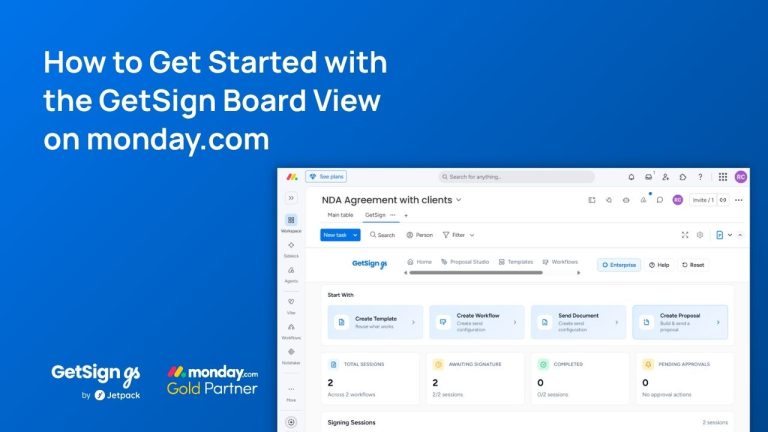
Keeping document workflows inside monday.com is straightforward for top-level items — but subitems have historically been a gap. GetSign now works directly inside monday.com subitems, letting you generate documents, collect signatures, and track signing status without ever leaving the board.
GetSign now works in monday.com subitems:
Managing documents tied to subitems in monday.com can be tedious. Teams often have to copy data manually into a separate document tool, send files through email, chase signatures across inboxes, and then track down the signed copies afterward. When this process is tied to subitems, the problem compounds: there’s no clean way to keep everything connected to the right record in monday.com.
GetSign changes this. Its subitem support lets you generate, send, and collect signatures on documents directly from within any monday.com subitem, keeping your entire document workflow inside the platform you already work in.
What you can do with Subitem support in GetSign
Upload and edit templates from subitems: Add GetSign as a view inside any subitem and upload a DOCX template, which opens directly in the GetSign editor.
Map board fields automatically: Pull in subitem or board data like item name, dates, and custom columns directly into your document template.
Drag-and-drop signature fields: Assign signature, name, and date fields to specific signers in the PDF editor without leaving monday.com.
Automate generation and sending: Trigger document generation and sending automatically based on a monday.com status change.
Track signing status in real time: See exactly who has received, viewed, and signed the document from the Track tab.
Download signed documents instantly: The final signed PDF is available in the Track tab and saved to your GetSign library.
How GetSign in monday.com subitems helps different teams
Sales: Generate and send quotes or proposals tied to specific line items or client subitems, with signatures collected automatically.
HR: Issue offer letters or onboarding documents linked directly to candidate subitems, tracking each stage of the signing process.
Finance: Automate approval documents for individual budget line items, ensuring each signed copy stays attached to the right record.
Legal: Manage contract signing for multiple parties within a subitem, with full audit tracking from the same board.
Project Management: Send scopes of work or change orders from subitems, keeping client signatures tied to specific project tasks.
Step-by-Step Setup Guide for GetSign in monday.com subitems:
Add GetSign to a Subitem: Open a subitem and click “Add View,” then “Explore More Views.” Select GetSign and add it. Once added, GetSign will appear across all subitems on that board automatically.
Upload Your Document Template: Inside the GetSign view, click “Upload Template” and select your DOCX file from your computer. The template will open in a new browser tab inside the GetSign editor.
Map Board Fields and Save: Click “Edit Template” to open the document editor. Map your board fields (such as Item Name or date columns) into the document where needed. Click “Preview” to verify the mapping, then click “Edit” and save the template.
Place Signature Fields: After saving the template, you’ll land in the PDF editor. Drag and drop signature, name, and date picker fields onto the document and assign each field to the appropriate signer (by email address). Add fields for all signers, then save.
Configure Automation Settings: In the Generate section, enable generation and select the status value that will trigger it. Choose the file column to store the generated PDF and set a document name. In the Sign section, enable signature collection, select the status that will trigger sending, and pick the column to save the signed file. Save settings.
Generate, Send, and Track: Set the item status to trigger generation. The automation will run and save the document to the file column. Click “Send Now” (or let the status automation handle it) to dispatch to all signers. Track signing progress in real time from the “Sign” tab under “Track.”
Summary
Using GetSign inside monday.com subitems removes the need to jump between tools to handle document workflows. Everything from template editing to signature collection to final download happens within monday.com, keeping your data clean and your team moving faster.
Ready to try it? Upload a template inside a subitem and give it a go. For help, reach out to our support team.