
Generate and customize documents. Stay in monday.com.
Build, auto-fill, and manage documents using live monday.com board data. GetSign helps you eliminate formatting errors, manual exports, and version control issues with integrated document generation for eSignature.

All you need to generate documents effortlessly
Manual document creation introduces errors, delays, and copy-paste chaos. With GetSign’s document generation feature, teams can build dynamic, accurate documents directly inside monday.com. Whether you’re generating quotes, contracts, or onboarding forms — everything is automated and in flow.
Build offer letters & onboarding packs from HR pipelines
Create NDAs with pre-filled employee or contractor data
See it in action
Generate documents from monday.com board data using GetSign

Experience the full power of document automation
Key capabilities that make GetSign seamless and efficient in document generation for eSignature.
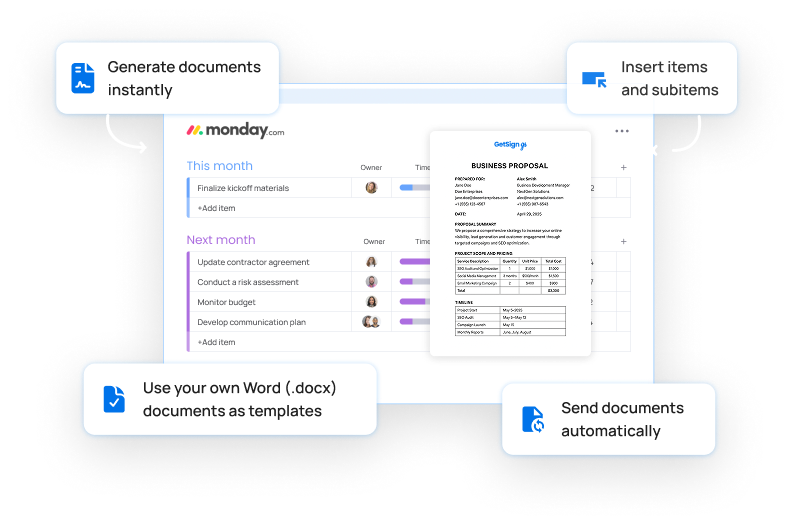
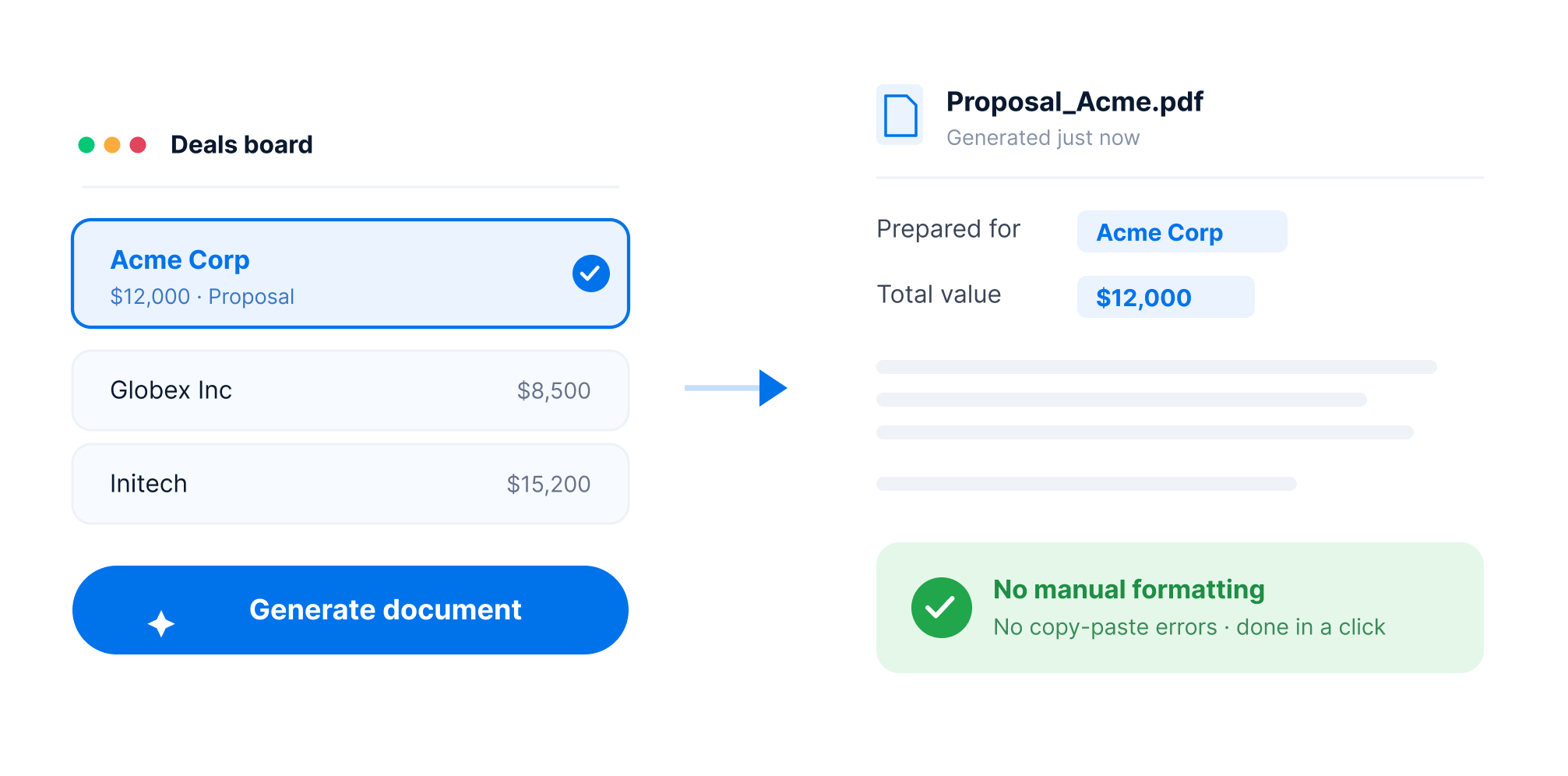
Generate documents instantly right from your boards
Create proposals, order forms, invoices, and more — in just a few clicks. No manual formatting, no copy-pasting errors.
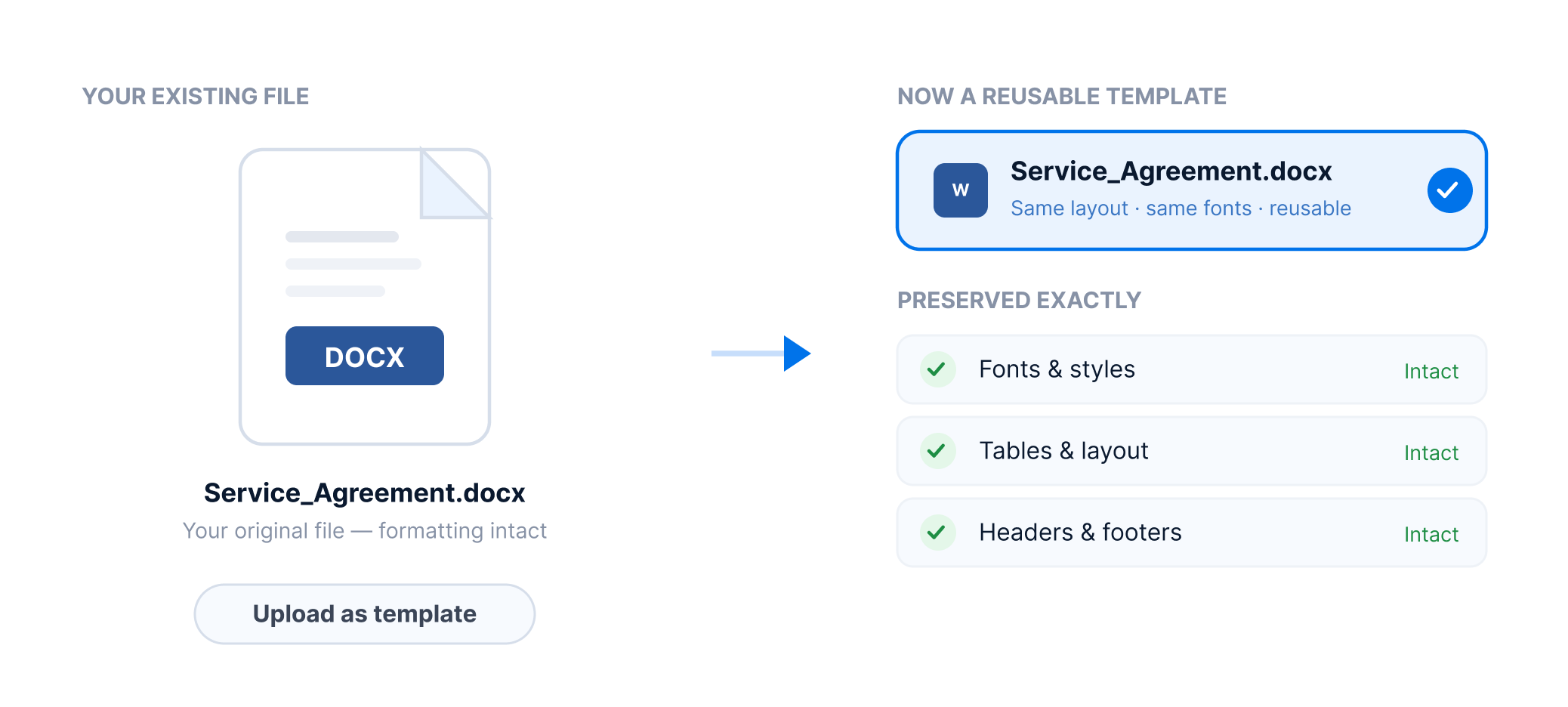
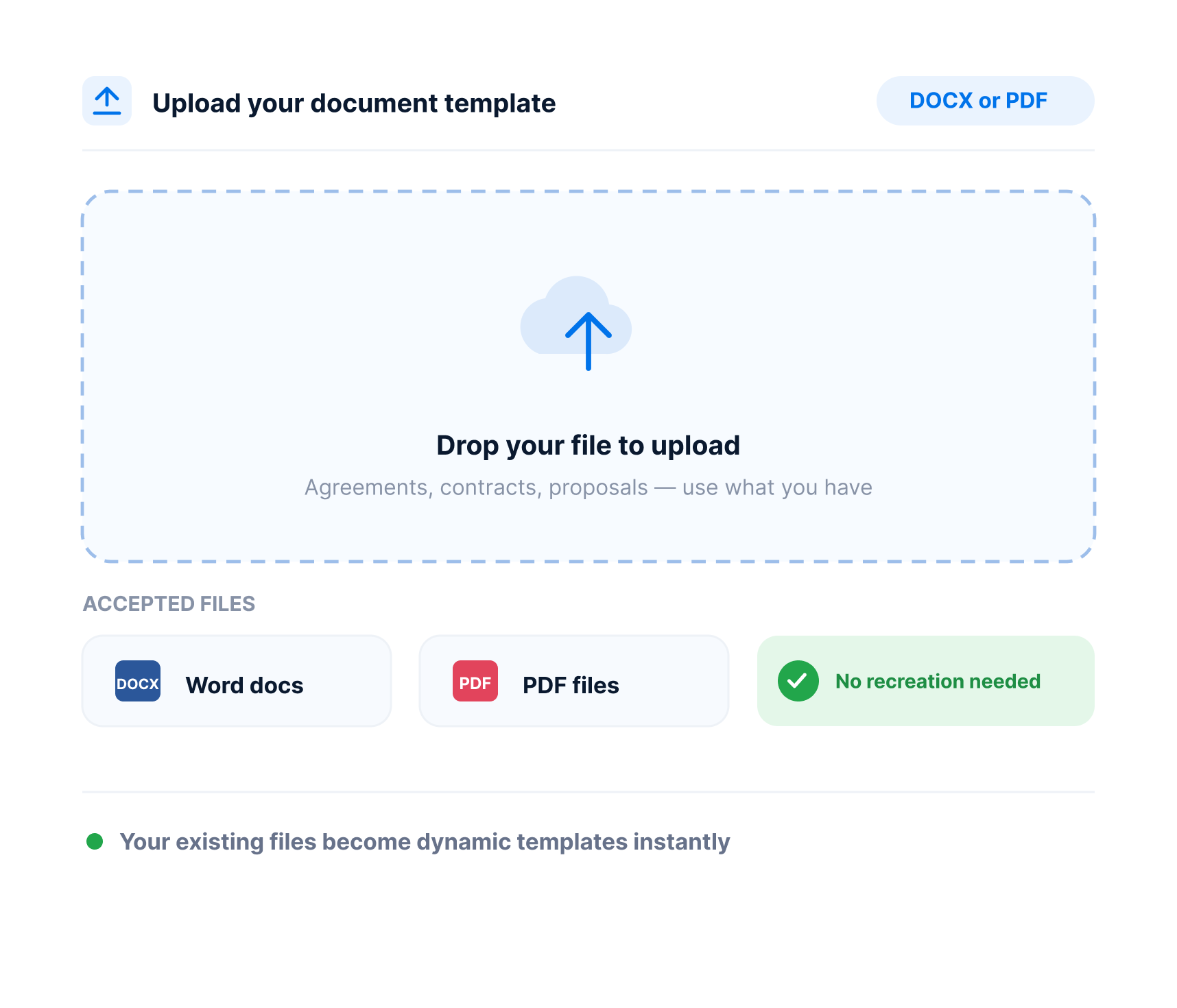
Use your own Word (.docx) documents as templates
Upload your existing DOCX files and build documents your way. No need to re-create your documents using another tool, no restrictions.
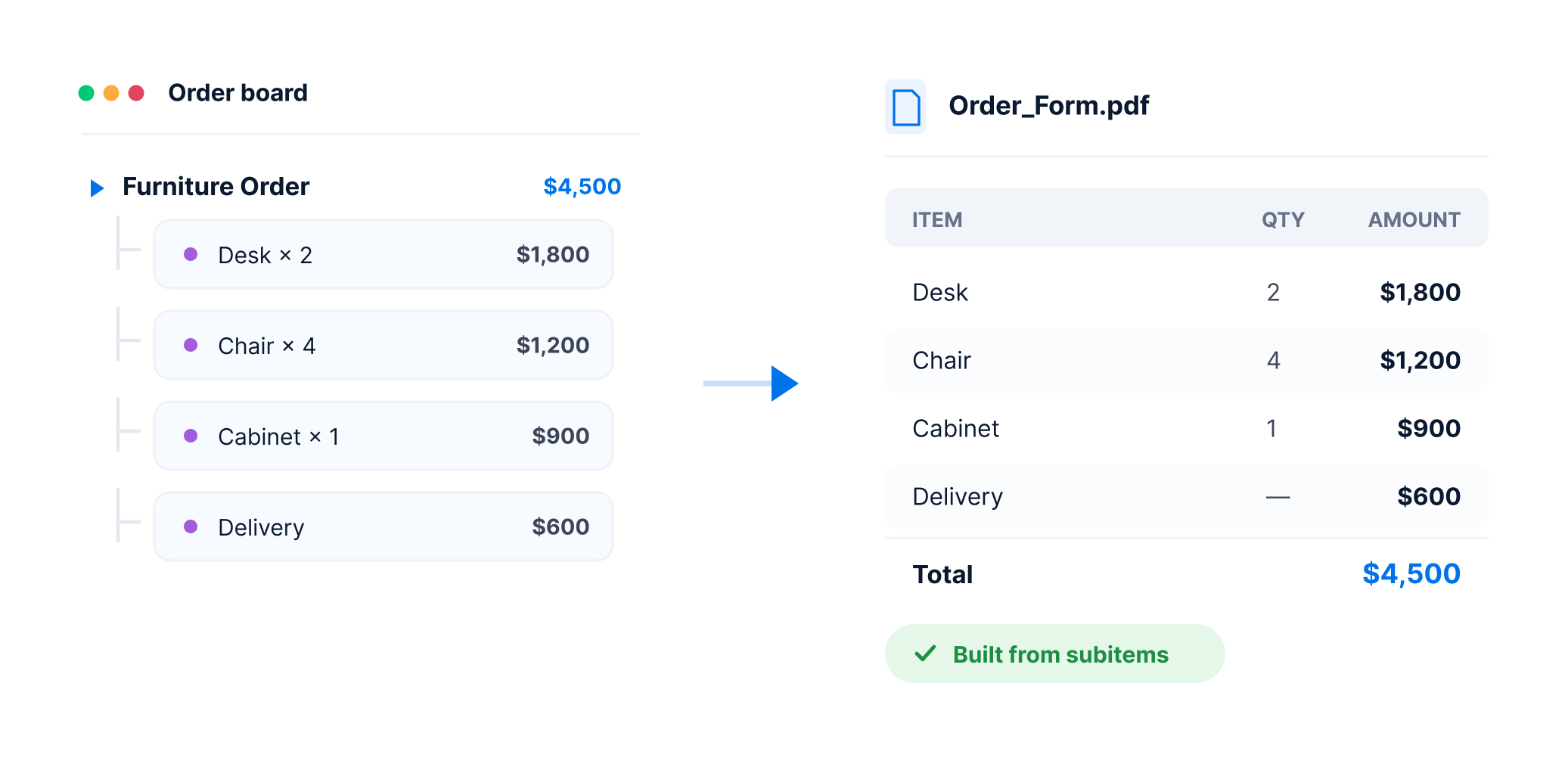
Insert items and subitems seamlessly
Pull live board items and subitems into your documents. Create detailed tables or filtered views with a click.
Send documents automatically
Trigger documents to send from your own email address and templates. Personalize with live board data, no manual follow-up needed.
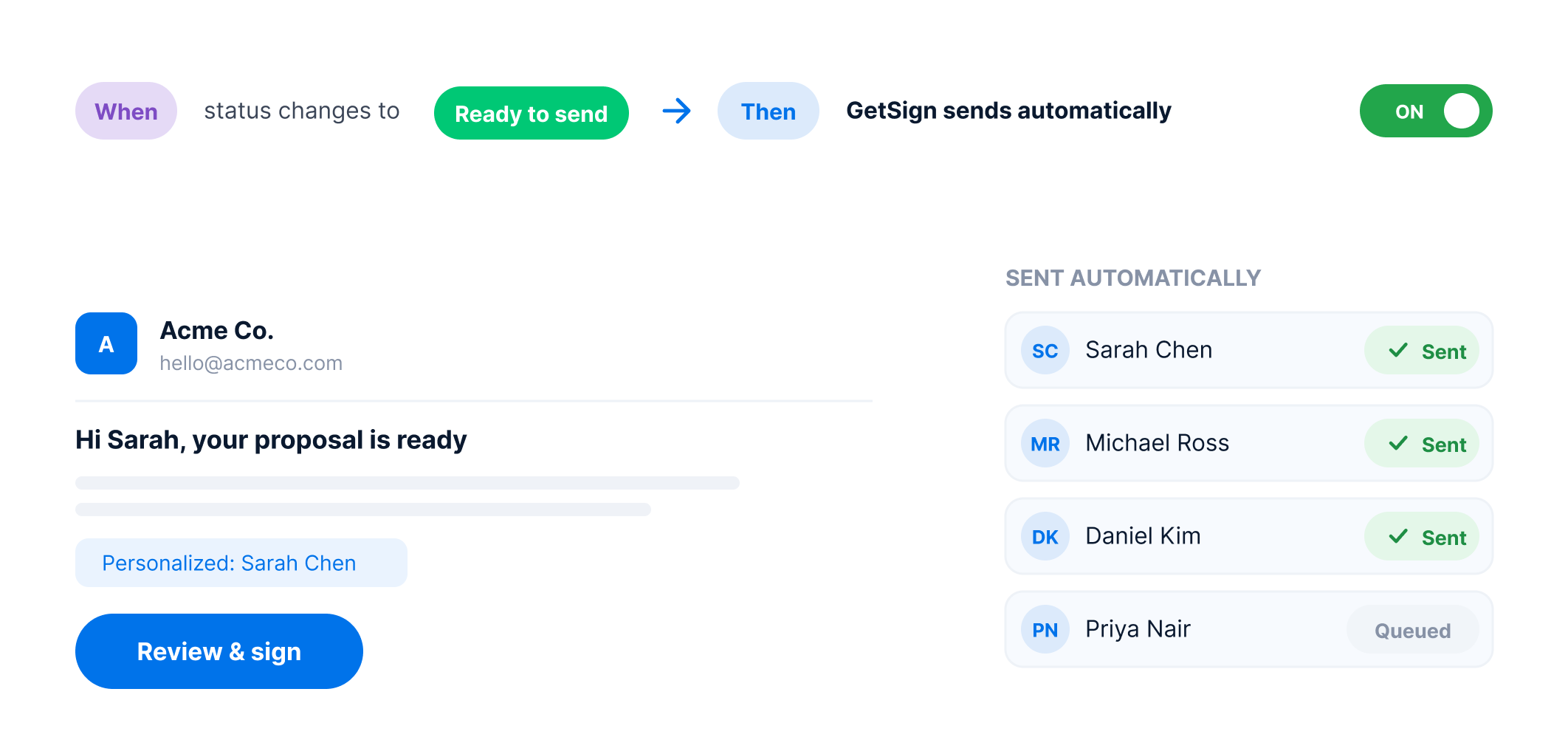
Flexible enough for the document workflows your teams already run.
Key capabilities that make GetSign seamless and efficient in document generation for eSignature.
Secure Document Storage
Store generated documents securely on their related monday.com items — easy to track, find, and manage.
Document storagePreview before you generate
No more guessing, you can generate unlimited previews of your documents to make sure they are exactly the way you want them. Once you’re ready, automate your documents with confidence.
Live previewCustom Email Branding
Make emails feel like yours — add your logo and messaging so signers know it’s from your company, not a third-party tool.
Custom brandingTrack every Signature
Know who opened, who signed, and who still needs to — all in real time, right inside your monday.com board.
Signature trackingSecure access with OTP
Add an extra layer of security by requiring a one-time password sent via SMS or email before document access and signing. Compliant with GDPR and HIPAA.
Signer verificationAutomatically remind users who haven't signed
Automatically remind recipients who haven't signed yet — no need to follow up manually.
Follow-up automationResults you’ll see with GetSign
The value GetSign brings to your workflow and productivity.
Generate documents in minutes, not hours
No more waiting for manual formatting — create contracts, quotes, and forms in a few clicks.
Ensure accuracy across all documents
Live board data means fewer typos, mismatched names, or outdated numbers.
Move faster across departments
Sales, HR, Legal, and Ops teams generate personalized documents without external tools.
Reduce tool fatigue
No more toggling between apps. Keep teams productive and focused by handling everything within monday.com.
Strengthen legal & security posture
Control who signs and when with OTP, defined signing orders, and built-in audit logs. Stay protected and compliant.
How document generation for eSignature works on GetSign
From document generation to final signature — in one workflow
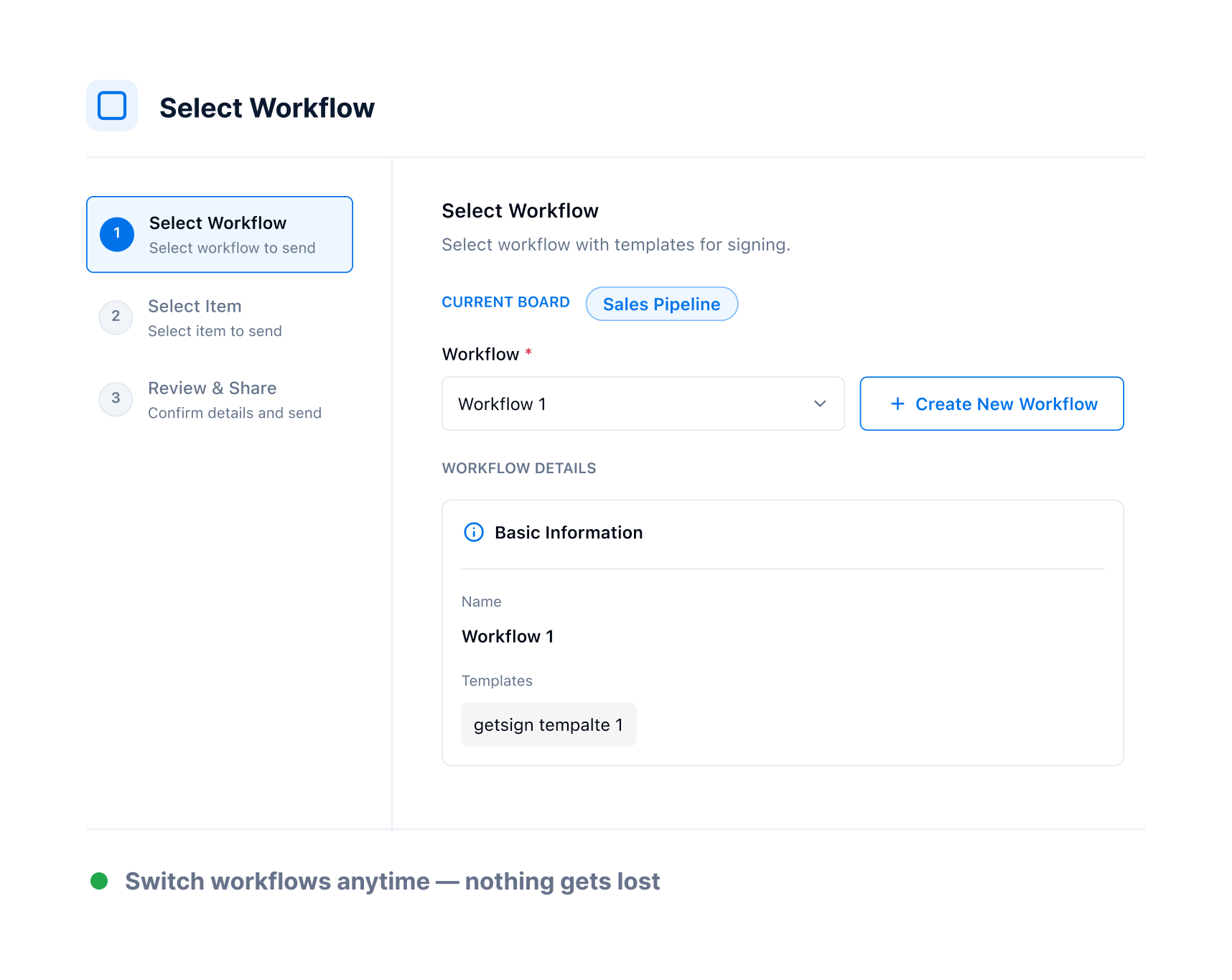
Choose the right workflow
Select the monday.com board and decide how you want documents to be generated — whether it's creating templates for signing, generating PDFs for storage, or combining both. Pick the flow that matches your needs, ensuring every critical data point automatically moves into your documents.
Upload your document template
Quickly upload your existing DOCX or PDF files into GetSign. Turn your agreements, contracts, or proposals into dynamic templates. No need to recreate anything — just use your documents, ready to be filled with real-time board data.
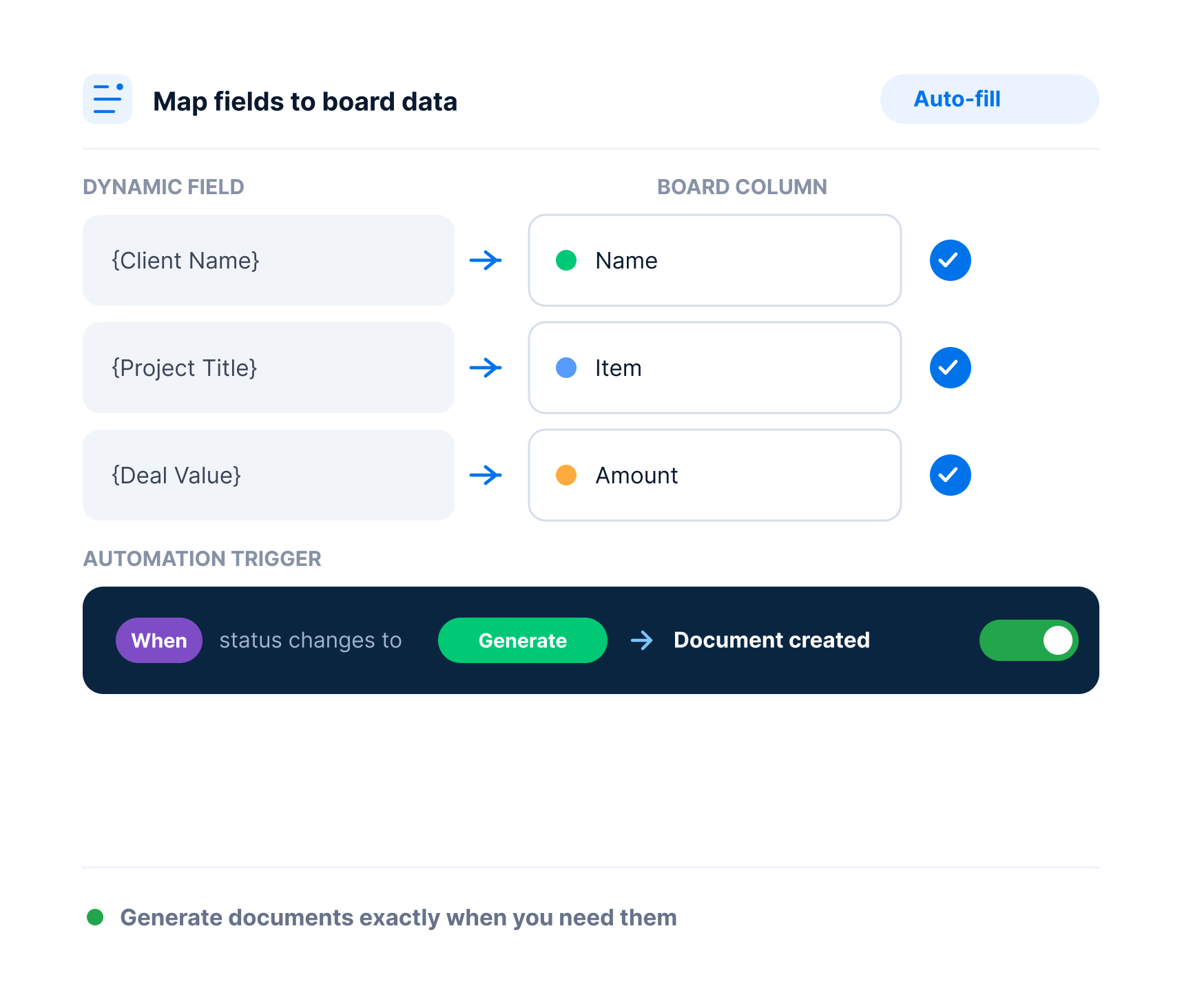
Map fields to board data
Open the template editor, highlight dynamic fields (like Client Name, Project Title, Deal Value), and map them to corresponding columns on your board. Set automation triggers — like status changes — to generate documents exactly when you need them.
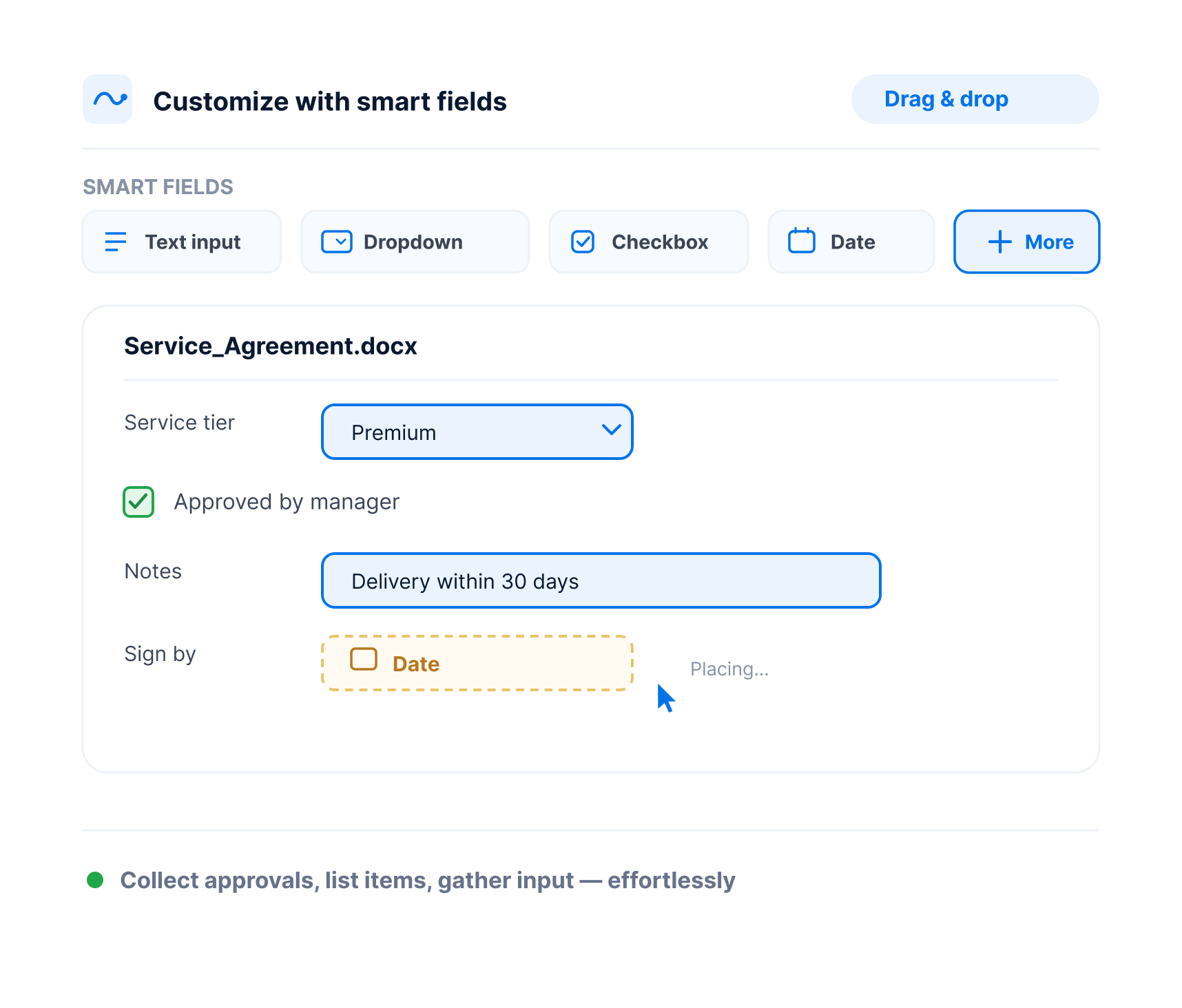
Customize documents with smart fields
Add personalization by dragging and dropping smart fields — like text inputs, dropdowns, checkboxes, and date pickers — into your templates. Whether you're collecting approvals or listing service items, GetSign’s flexible field options make customization effortless.
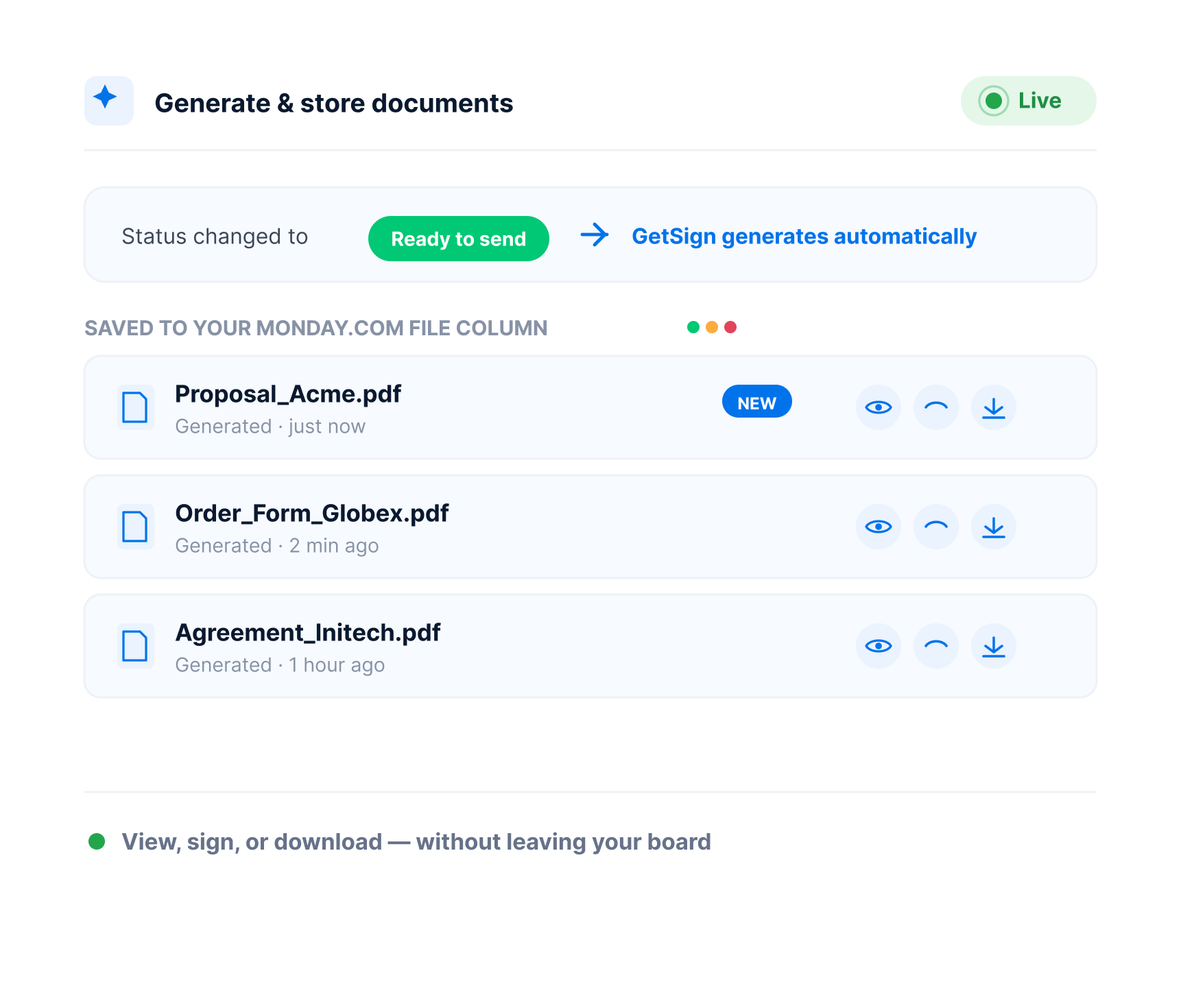
Generate and store documents instantly
Change a status, trigger an event, and watch GetSign automatically generate your document. Each file is saved securely in your monday.com File Column — ready to view, sign, or download without leaving your board.
Built for every team
Explore how different teams can manage their document workflows with GetSign.
Sales Teams
Auto-generate branded quotes, SOWs, and proposals that reflect deal size and timeline.
HR & People Ops
Create role-based offer letters and onboarding packs without rewriting each one.
Legal & Compliance Teams
Generate NDAs and policy acknowledgments dynamically per department or jurisdiction.
Finance & Procurement
Build invoices and vendor contracts with auto-calculated fields and live totals.
GetSign guarantees secure, compliant, and legally binding e-signatures with enterprise-grade protection.
Legally binding signatures with full audit trails and signer data
AES-256 encryption at rest, TLS 1.2 encryption in transit
Role-based access and identity verification via OTP
Time-stamped logs of every signature action for compliance review
Compliant with GDPR, HIPAA, and UETA frameworks
Frequently Asked Questions
Not by itself — but with GetSign integrated, monday.com becomes a full-featured document generation platform for eSignature. It connects your data to Word templates and streamlines generation.
Yes. With GetSign, you can generate fully populated documents instantly by pulling data from your monday.com items and subitems. It eliminates the need to manually fill out templates or forms.
Absolutely. GetSign supports your own branded Word (.docx) files. Simply upload your template to the Template Gallery and map monday.com columns to placeholder fields in the document.
Yes. GetSign allows you to insert both items and subitems directly into your documents. This is ideal for detailed tables like itemized proposals, task lists, budgets, or service breakdowns.
You can generate proposals, invoices, onboarding packets, NDAs, contracts, or any document where data from your monday.com board needs to be merged into a structured format.
Yes. Each row (or item) dynamically fills the document with unique information from your board — ideal for personalized but automated bulk generation.
Yes. You can trigger document generation for eSignature using monday.com automation — like status changes or button clicks. GetSign can then email the document or send it for signature instantly.
You can manually upload documents using the Files column in an item. If you use GetSign, generated documents are automatically attached to the relevant item for centralized tracking.
Yes! GetSign offers a 14-day free trial with full access to premium features. After that, you can stay on the free plan, which includes core functionality like document generation. You can visit pricing for detailed plan comparisons.
Generate documents faster. Automate smarter.
Start creating, customizing, and sending professional documents — natively inside monday.com with GetSign