Send Automatic Signature Reminders with GetSign
Following up with signers manually wastes time and creates gaps in your document workflow. GetSign now lets you…

Many of our customers requested the ability to send email from custom domain instead of the default GetSign domain. The reason is simple: emails sent from a trusted company domain look more professional, improve brand consistency, and are less likely to be flagged as spam.
By introducing custom domain email sending, GetSign now ensures your document requests and signature invitations feel like a seamless extension of your organization’s communication—no more confusion about who the email is coming from.
With this new feature, setting up your custom domain takes just a few minutes. Here’s how:
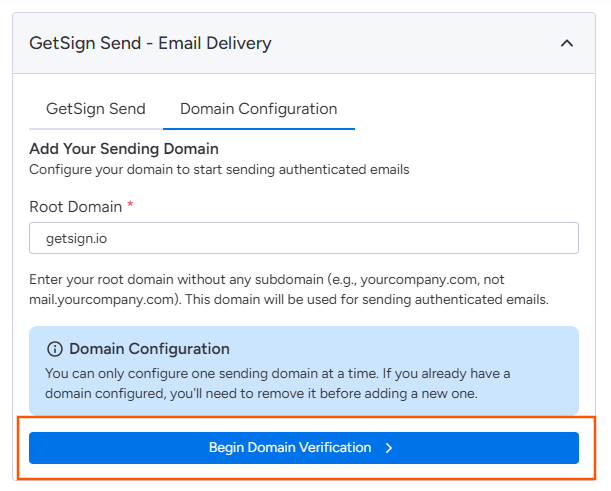
Go to GetSign Send → Domain Configuration in your GetSign settings. Enter your root domain (e.g., yourcompany.com) and click Begin Domain Verification.
GetSign will provide you with a set of CNAME records. Copy these and add them to your DNS provider or hosting panel (like cPanel).
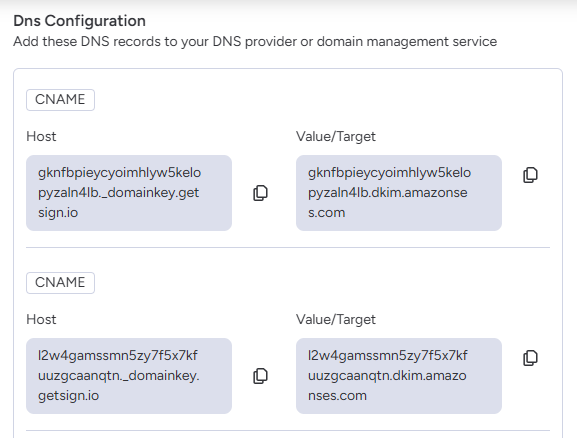
These records verify:
Not sure how to do that? Use the guides below for popular providers. If your provider isn’t listed, the process is very similar—look for settings called DNS, DNS Records, Zone Editor, Advanced DNS, or Domains. If you still can’t find it, contact your provider’s support team and share the exact records from this page.
Provider guides (most recent official docs):
What to do next
If you manage DNS somewhere else, search that provider’s help center for “add DNS record” or “manage DNS”, or contact their support with the records from this page.
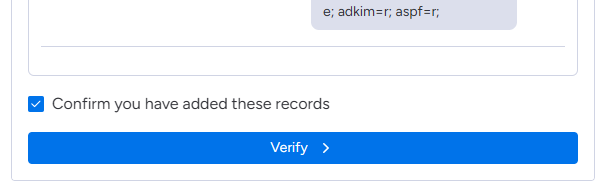
Once the DNS records are added, go back to GetSign and check Confirm you have added these records.
Click Verify.
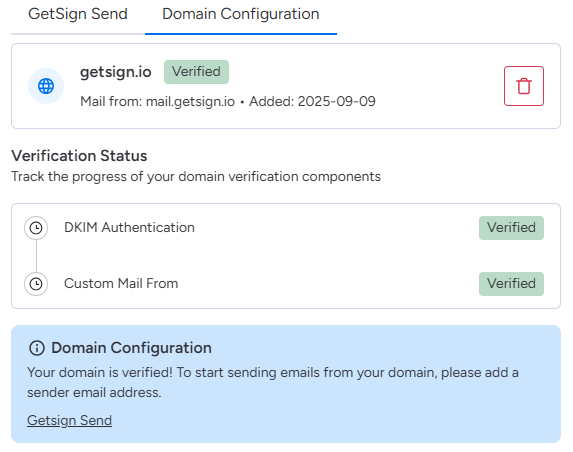
If everything is set correctly, you’ll see green checkmarks showing that your domain is verified.
After verification, open GetSign Send and add your Sender Name and Sender Email.
Your domain (e.g., @getsign.io) will already be listed—just enter your username (e.g., hello@getsign.io). Note: The emails will be sent from
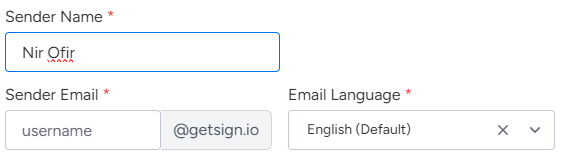
You can also set the Email Language for outgoing emails.
From now on, all emails sent through GetSign will come from your custom domain instead of the default GetSign domain.
This helps build trust with your recipients, ensures better deliverability, and keeps your document workflows on monday.com fully branded.
Generate, send, sign and track documents without leaving your workflow.