Send Automatic Signature Reminders with GetSign
Following up with signers manually wastes time and creates gaps in your document workflow. GetSign now lets you…

In many signing workflows, recipients need to review documents carefully before signing. Teams can now download Documents Before Signing on monday.com using GetSign. Previously, GetSign allowed signers to preview documents on-screen but not download them unless the document was generated within GetSign. This limited teams that needed offline review, legal checks, or internal approvals.
The new download option gives signers more confidence and transparency.
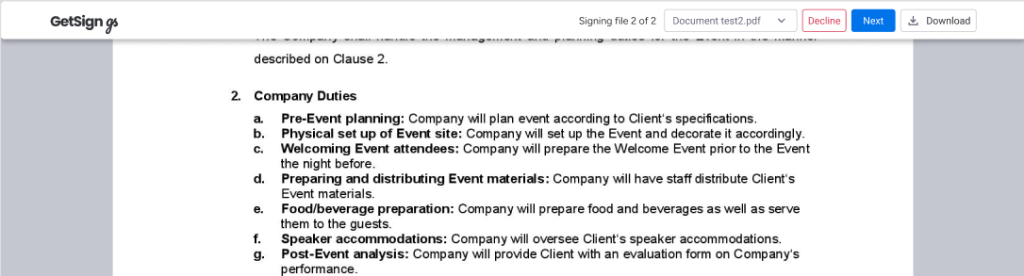
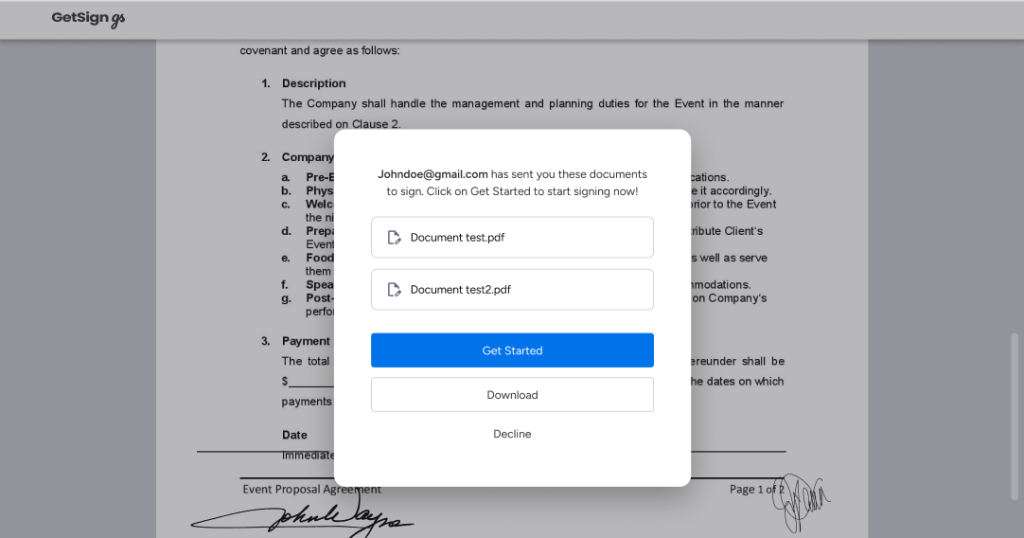
Signers can now download the document at any point before signing—either from the top navigation bar or the initial dialog.
From the Top Navigation Bar
From the Opening Dialog
This capability to download is under ‘Template Gallery’ on GetSign for monday.com.
Generate, send, sign and track documents without leaving your workflow.