
Digital Signatures in GetSign were originally limited to documents generated inside the app. Users who uploaded their own PDFs or stored documents could only collect standard esignatures, creating inconsistencies in workflows requiring cryptographically secure signatures.
Many organizations need compliant digital signatures regardless of how the document was created.
How This Feature Improves Your Workflow
- Uploaded NDAs, HR policies, procurement forms, or contract templates can now carry digital signatures.
- Teams needing uniform compliance across both generated and uploaded files.
- Workflows that start with externally created templates.
- Stored documents requiring secure, verifiable signatures.
How Digital Signature for All Document Types on GetSign works?
Digital signatures now apply to:
- Uploaded templates
- Stored documents
- (As before) Generated documents

Vendor Contracts Without the Delay
Send procurement agreements for signature on monday.com
Automate vendor docs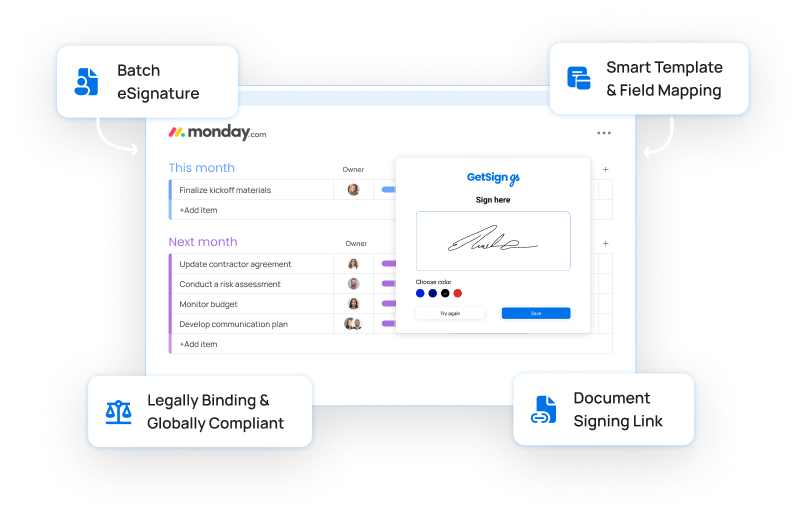
How to add digital signature in PDF on monday.com?
Using Digital Signatures on Uploaded Templates in Template Gallery:
- Upload the PDF as a template.
- Place signature fields.
- Assign signers.
- Enable Digital Signature.
- Send for signing.
Using Digital Signatures on Stored Documents in Template Gallery
- Upload your file via Store Documents.
- Select Send for Signature.
- Place fields and assign signers.
- Enable Digital Signature.
- Send.
Using Digital Signatures on Generated Documents
This workflow remains unchanged—simply enable digital signatures when configuring your signing settings.
This update ensures full flexibility while maintaining strong security standards.