Automate  Energy efficiency program agreement workflow on monday.com

Stop chasing energy efficiency program agreement sign-offs over email — GetSign connects the whole workflow to your monday.com board. Service addres, customer are pre-filled from the board, service coordinator and customer are notified automatically, and the signed copy archives to the item instantly.

4.8 on monday.com Marketplace · 4,000+ teams

The problem

Your Energy efficiency program agreement workflow is broken without GetSign

Every manual step is a delay, a version risk, and a follow-up that shouldn’t exist.

Four manual hand-offs. Three tools. One increasingly anxious AE.

Copy-paste board data

Manually copy-paste data from monday.com into Energy efficiency program agreement templates

Email PDFs back & forth

Email PDFs back and forth, losing track of who signed what

Chase service coordinator, customer, field technician

Chase service coordinator, customer, field technician manually for pending signatures

Hunt signed copies

Signed documents scattered across email, Drive, and local folders

Maybe signed

Version unclear · Status unclear

Four automatic steps. One workflow. Everything stays on the board.

Auto-generated

Energy efficiency program agreement auto-generated from service address, customer, meter, equipment, approvals in seconds

Sent in one click

Sent to service coordinator, customer, field technician with one click — no switching apps

Live status on board

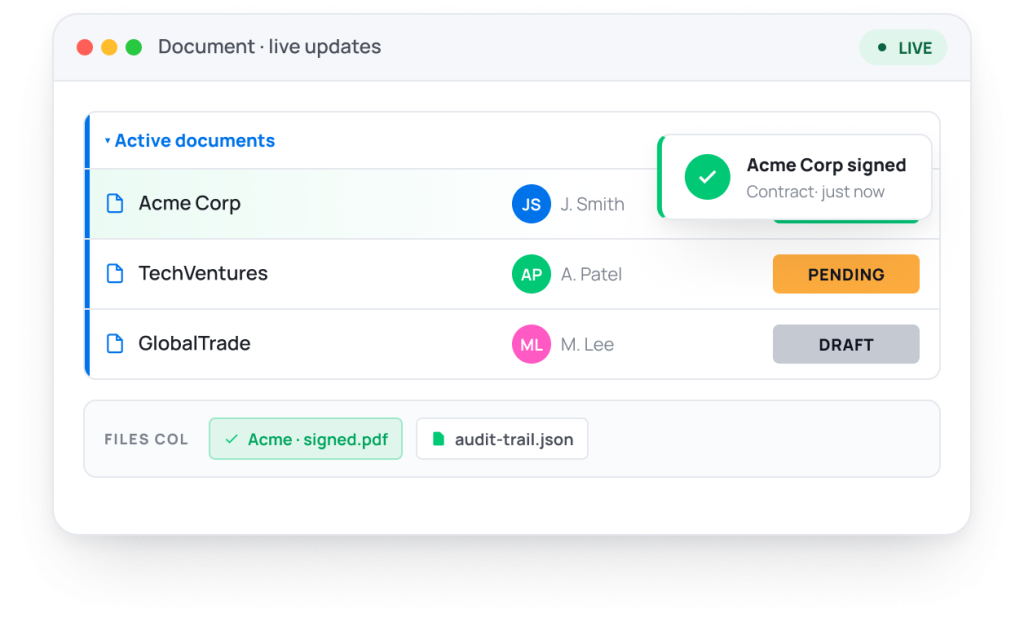
Signature status visible live on your monday.com board item

Auto-stored on item

Signed Energy efficiency program agreements stored automatically in the Files column

Signed & filed

On the right board item, automatically

Stop managing Energy efficiency program agreements outside monday.com

14-day trial · 20 free documents · Cancel anytime
How It Works

From board item to signed Energy efficiency program agreement in 4 steps

Generate customer service, installation, and compliance documents – without switching tools, fully automated inside monday.com.
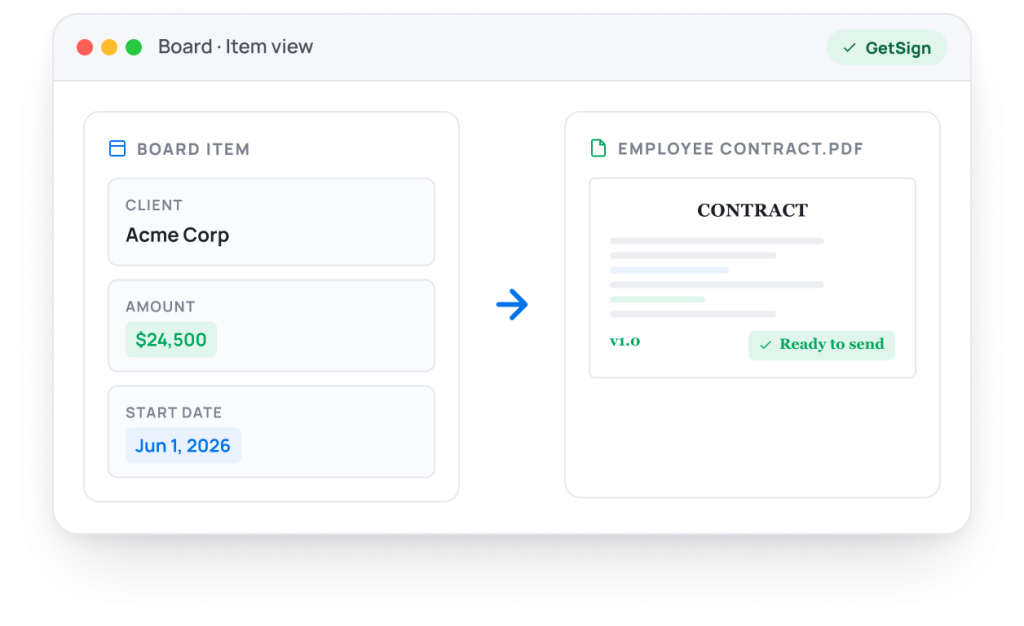
Step 01 · Generate

Auto-fill from your monday.com board.

GetSign pulls service address, customer, meter, equipment, approvals straight from your board columns and fills your existing DOCX template in seconds — no rebuilding, no copy-paste, no formatting drift.
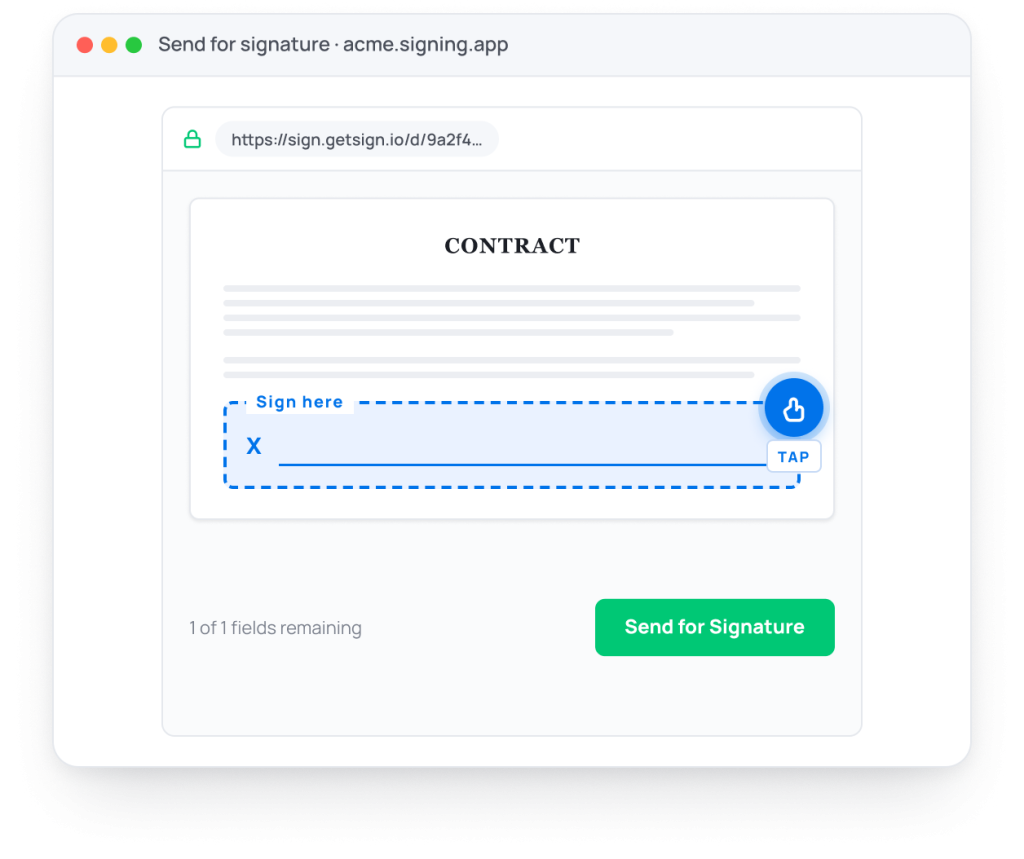
Step 02 · Send

One click to service coordinator, customer, field technician.

The Energy efficiency program agreement lands in your signer’s inbox with a secure, mobile-ready signing link. No accounts. No apps. They open it, sign, done.
Step 03 · Sign

Sign - in seconds

Sign — from any device, in seconds. Signers receive a branded email with a secure one-click signing link. No account needed. No app to install. Sign on mobile, tablet, or desktop. GetSign supports batch signing, multi-party signing orders, and initial approval flows — all legally binding under ESIGN Act, eIDAS, and UETA.
GetSign signing experience [signed]
Step 04 · Track

Live status & auto- store on your board.

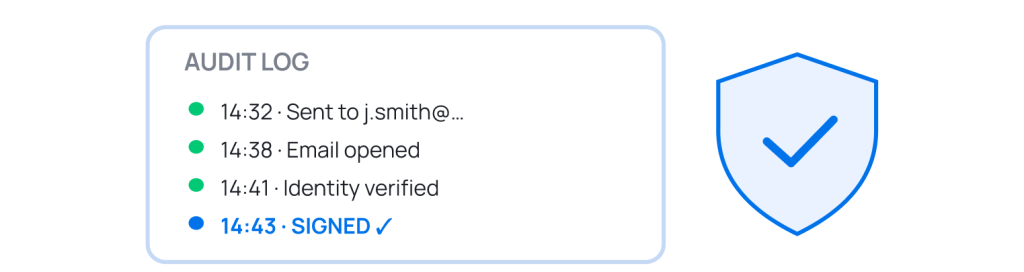
The moment Energy efficiency program agreement is signed, the status pill updates, your team gets pinged, and the signed PDF — plus the full audit trail — lands in the Files column. No filing, no follow-up.

Enterprise-grade by default.

Every Energy efficiency program agreement signed through GetSign is legally binding, encrypted at rest and in transit, and shipped with a full timestamped audit trail.

ESIGN Act

United States

eIDAS

European Union

UETA

US States

GDPR

EU privacy

HIPAA

US healthcare

FDA 21 CFR

Part 11

AES-256

Encryption

TLS 1.2+

In transit

Features

Everything you need for Energy efficiency program agreement management on monday.com

Built 100% inside monday.com. Works with your existing boards, automations, and columns – no setup friction.
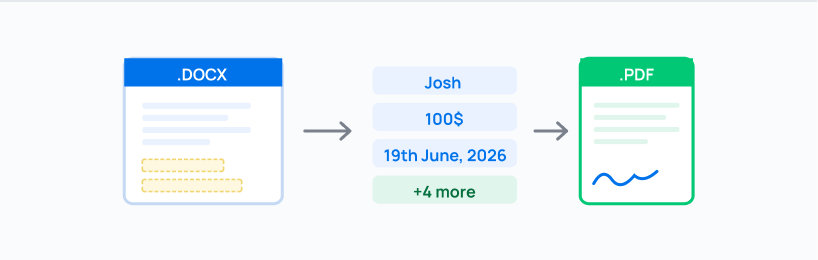
01 · Document generation

Auto-fill any template

Upload your DOCX template. Map monday.com columns. GetSign auto-fills service address, customer, meter, equipment, approvals every time – no copy-paste, no formatting errors.
02 · eSignature

Legally binding signatures

ESIGN Act, eIDAS, UETA, GDPR, HIPAA compliant. Signers get a secure link — no account needed on their end.
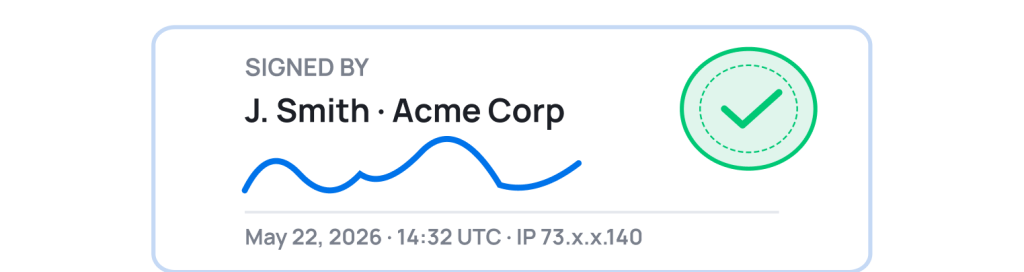
03 · Tracking

Real-time signature status

Know who opened, who signed, and who hasn’t — status visible directly on your monday.com board item. Zero chasing.
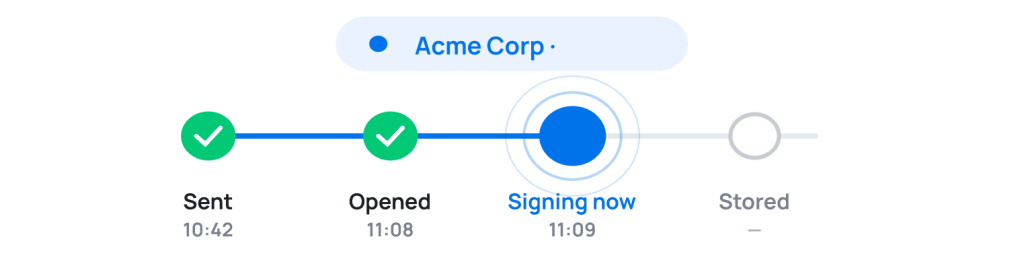
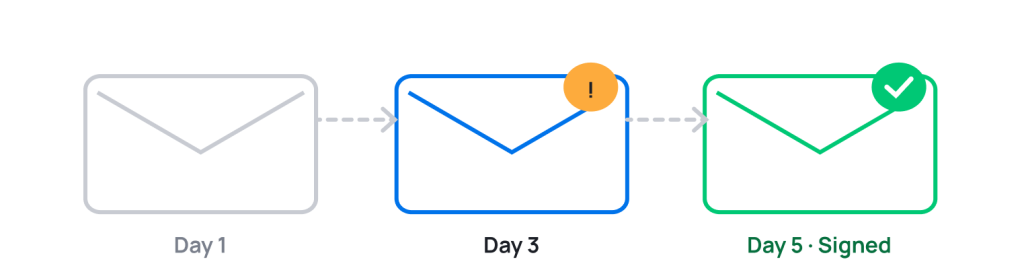
04 · Reminders

Auto-reminders that work

Automatic follow-up emails to pending signers. No manual chasing. Set the interval, GetSign handles the rest.
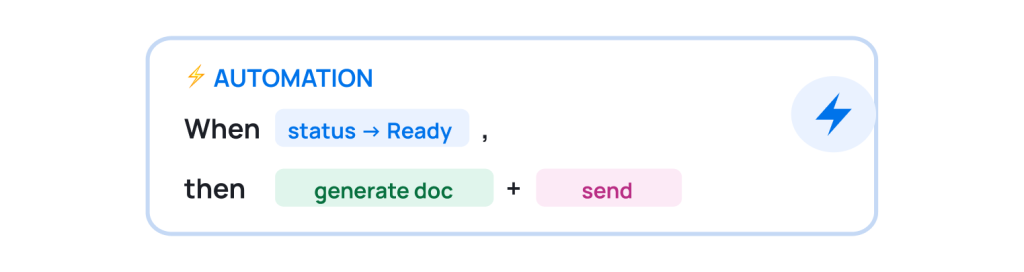
05 · Automations

Trigger from any column

Trigger Energy efficiency program agreement generation on status change, button click, or form submission. Zero manual steps in the workflow.
06 · Audit & compliance

Tamper-proof audit trail

Time-stamped activity log on every Energy efficiency program agreement. AES-256 encryption, TLS 1.2, GDPR, HIPAA, FDA 21 CFR Part 11.
Trusted by 4,000+ teams

What monday.com teams say

Used by Sales, HR, Finance, Legal, and Operations teams across 50+ countries.

As a Go-to-Market manager for monday CRM, I see many of our CRM clients actively using GetSign — from generating contracts to issuing invoices. It’s incredibly user-friendly and requires no complex setup.

Dana A.

CRM GTM Manager · monday.com

For our municipal clients, GetSign
transformed PDF signing from a slow,
manual hassle into a fast, seamless
experience — signed in seconds,
tracked in real time.

Nir Levenberg

Origamii

As a monday.com partner, I’ve
implemented GetSign for many clients
over three years. It’s consistently
reliable, keeps evolving, and just
works.

Meital P.

CEO · YEP Solutions

Teams use GetSign
0 +
Countries
0 +
Marketplace rating
0
Starting price
$ 0 /mo
Why GetSign

GetSign vs. standalone tools for Energy efficiency program agreement workflow

DocuSign and HelloSign work. But they were built before monday.com existed. GetSign is built for Energy efficiency program agreement workflows on monday.com.

Feature

Native
GetSign

DocuSign / HelloSign

Native monday.com integration

Auto-fill Energy efficiency program agreement from board

Signature status on board item

monday.com automation triggers

Signed document stored on item

Free trial

Pricing model

Setup time

The only eSignature and docuement tool built inside monday.com

No Zapier. No tab-switching. No extra logins. Never.

Related workflows on monday.com

More Energy and Utilities workflows on monday.com

Other documents teams in Energy and Utility Providers automate with GetSign.

Sales agreement

Sales · 3 board columns

Non-disclosure agreement (NDA)

Legal · 2 board columns

Offer letter

HR · 5 board columns

Purchase order

Procurement · 4 board columns

Invoice

Account · 1 board column

Vendor onboarding

Operations · 6 board columns

FAQ

Questions about Energy efficiency program agreement workflows in GetSign

Everything you need to know before you install theEnergy efficiency program agreement on monday.com.
GetSign pulls data directly from your monday.com board and auto-fills your Energy efficiency program agreement template — triggered by a status change, button click, or form submission. Upload your DOCX once, map your columns, and every new board item generates the document automatically. No copy-pasting, no switching apps.
Yes. GetSign supports any document type. It works natively inside monday.com — no Zapier, no separate login. Your Energy and Utility Providers installs GetSign from the marketplace, maps board columns to the template, and the workflow runs automatically for every item.
The typical signers are service coordinator, customer, field technician. Each receives a secure email link and signs in their browser — from any device, in any timezone. For multi-party documents, GetSign enforces signing order so the right person signs first.
Yes. GetSign complies with ESIGN Act (US), eIDAS (EU), UETA, GDPR, and HIPAA. Every signed Energy efficiency program agreement includes a timestamped audit trail — signer identity, IP address, time of signing — encrypted with AES-256. Legally enforceable in 50+ countries.
Live, on the board item. GetSign shows who opened, who signed, and who’s pending — updated in real time for your Energy and Utility Providers. Auto-reminders go to pending signers at set intervals. No chasing, no manual follow-up needed.
GetSign is free to start , no credit card required. The free plan includes 20 Energy efficiency program agreement documents and 15 eSignatures per month. New users get a 14-day free trial with full access to all premium features. Paid plans start at $25/month billed annually with unlimited users, boards, and templates.

Start automating your Energy efficiency program agreement workflow today on monday.com

14-day free trial · 20 free documents · No credit card · Cancel anytime