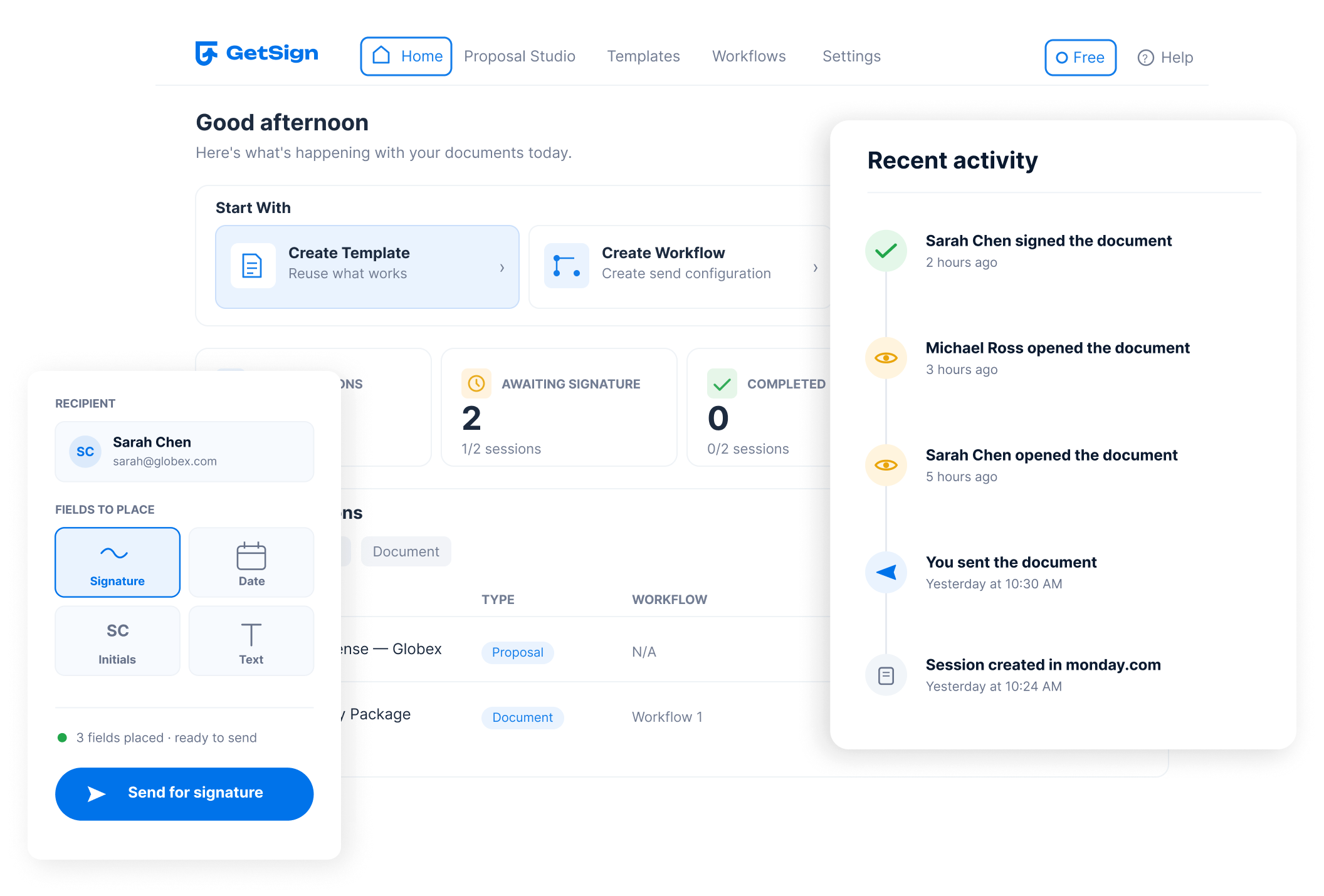
Send and sign documents. Stay in monday.com.
Create documents, send signature requests and monitor progress without leaving your monday.com boards. GetSign keeps secure electronic signatures connected to the work, data and people already in your workflow.

Keep the signature step from breaking the workflow.
Seamless workflows in monday.com until you need a signature. GetSign embeds document signing directly into your boards, eliminating third-party apps. Close deals, onboard hires, and approve proposals effortlessly.
Automate HR offer letters and NDA signing
Collect client approvals on proposals and scopes
See it in action
GetSign | Send and automate signing on monday.com

Everything you need to prepare, route and track signatures.
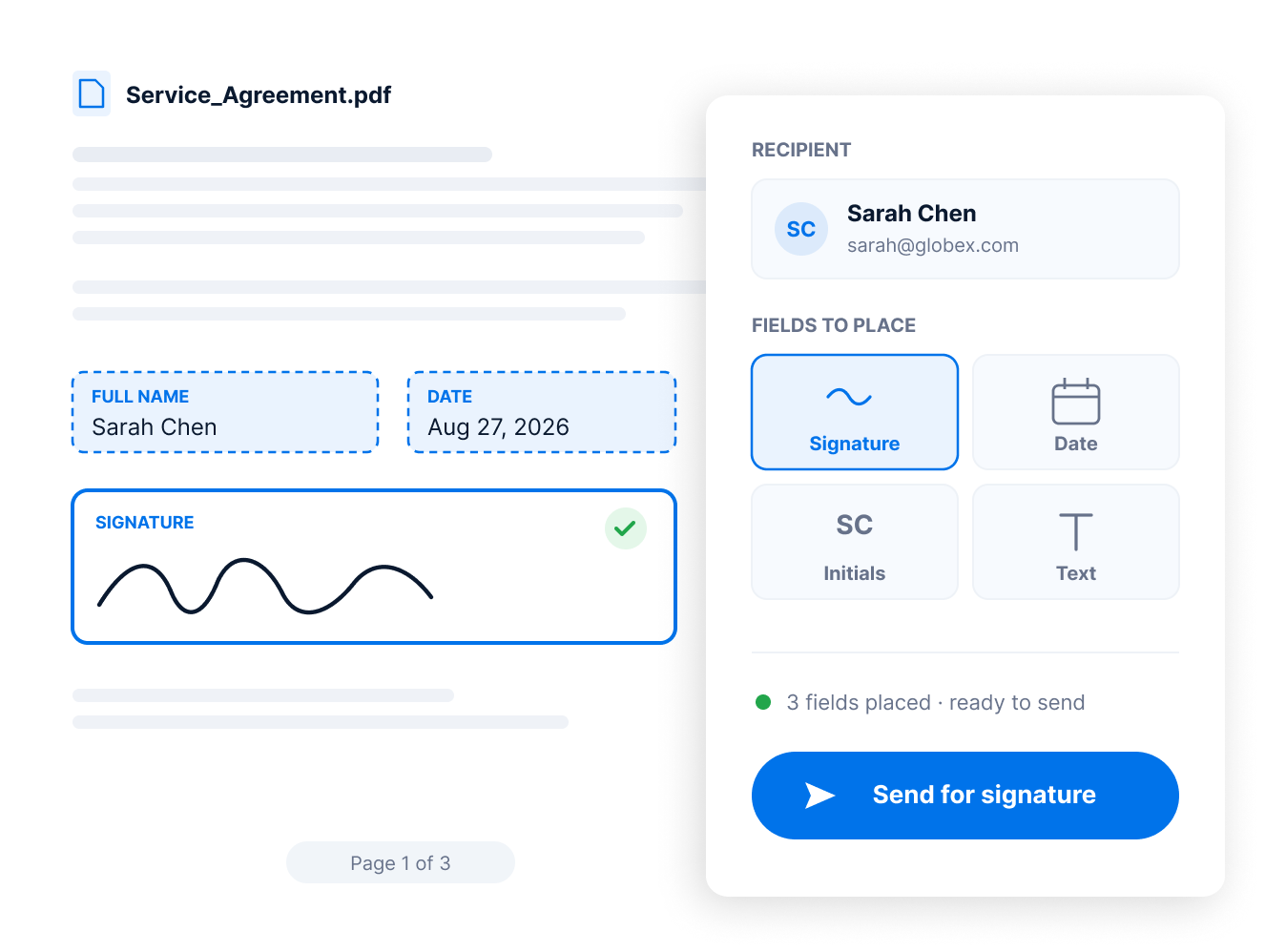
Prepare & send documents from monday.com
Embed document signing directly into your workflows — eliminating app switching and maintaining full context within your boards.
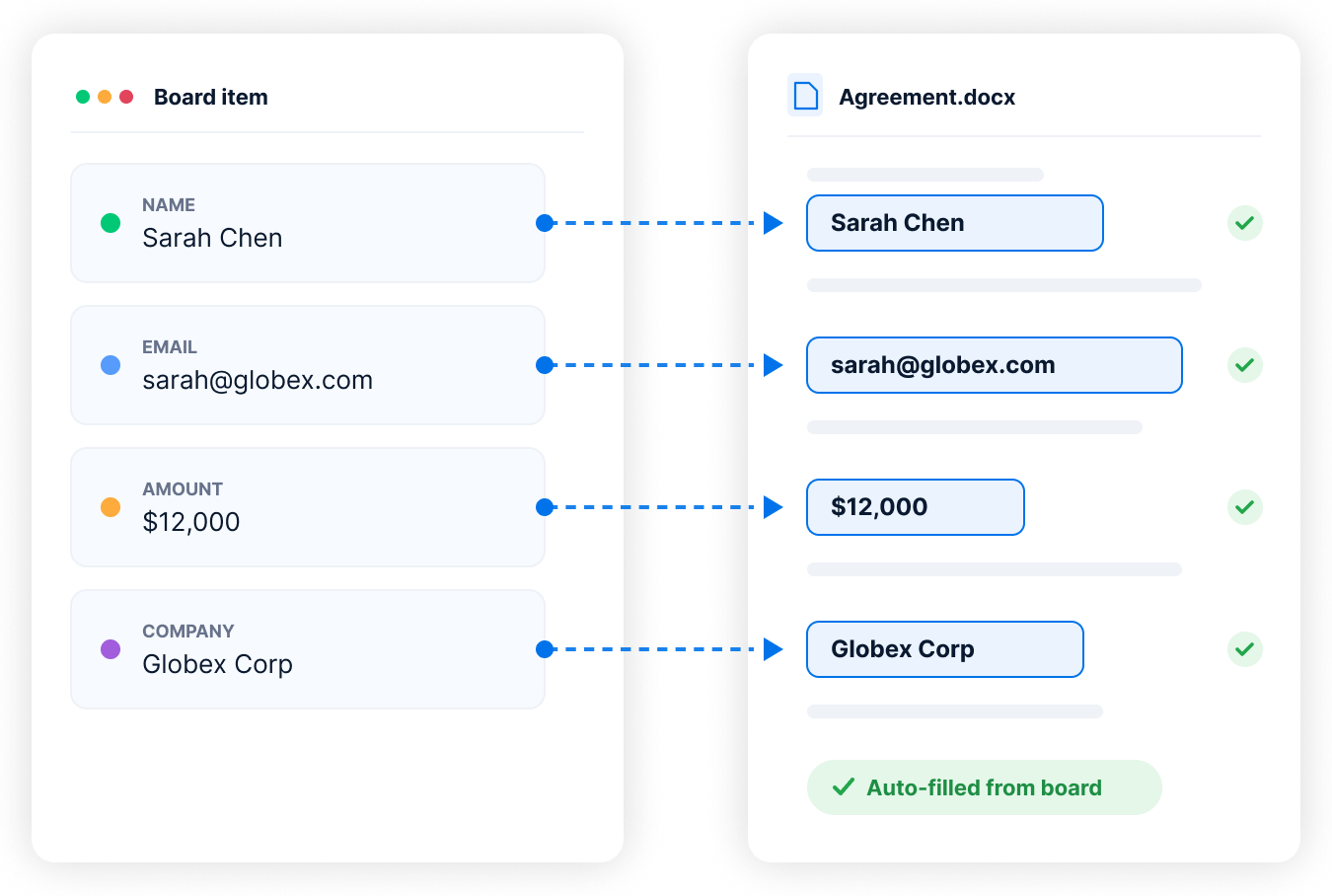
Fill documents automatically
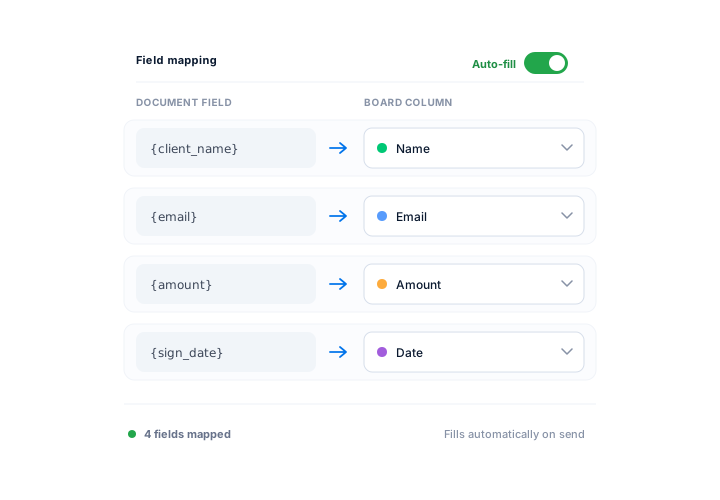
Map monday.com board columns to DOCX or PDF placeholders to auto-fill documents accurately.
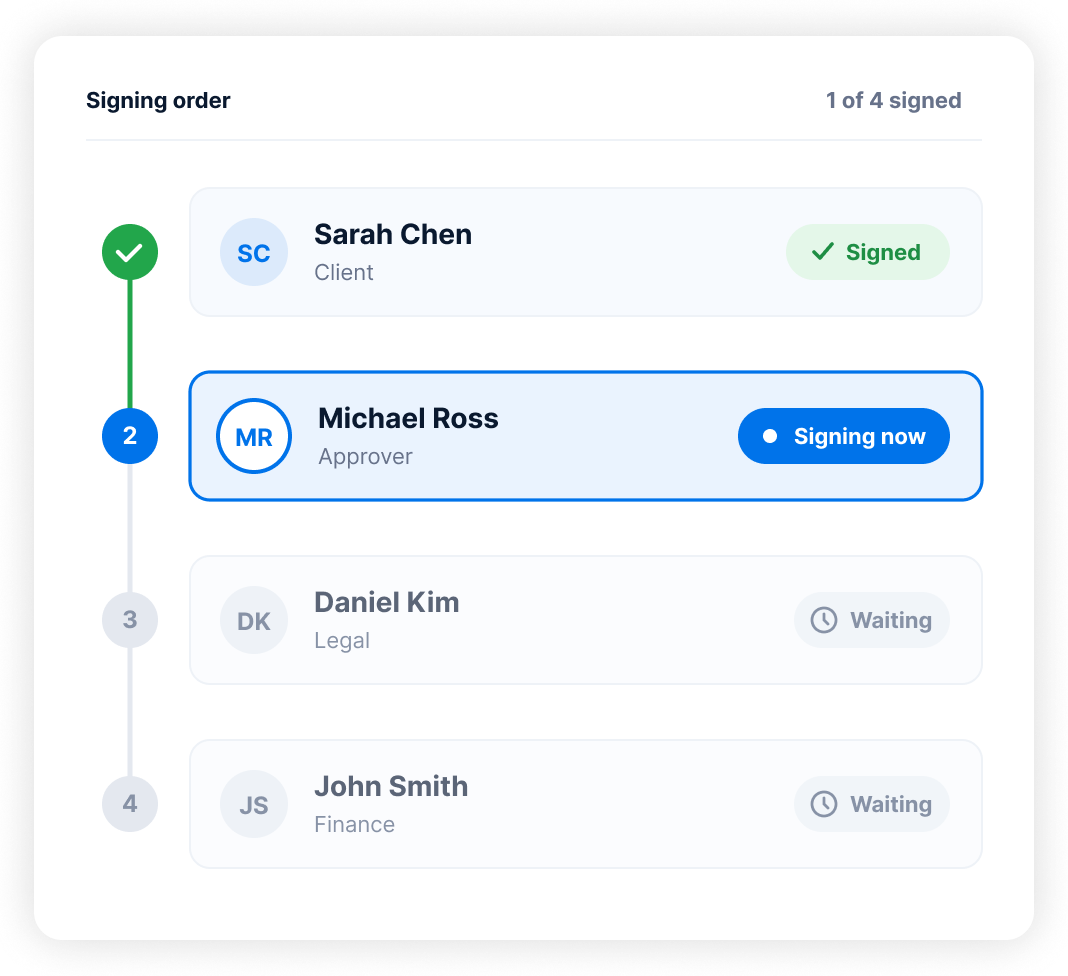
Control who signs when
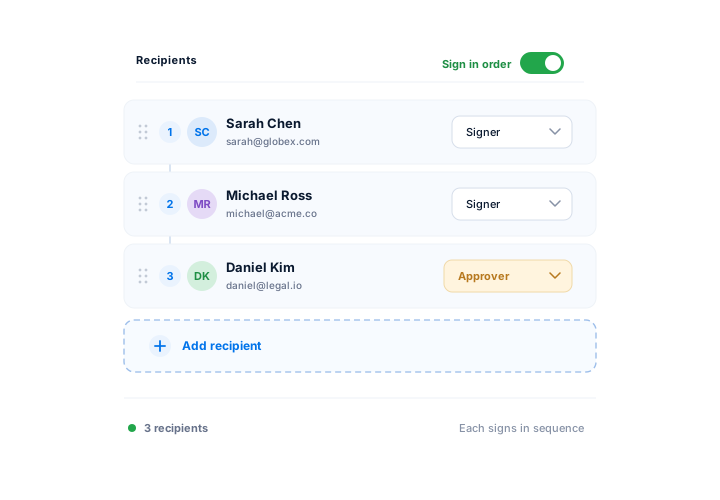
Need approvals to go in a certain order? Set who signs first, second, or last. Define the signing sequence and let GetSign handle the flow.
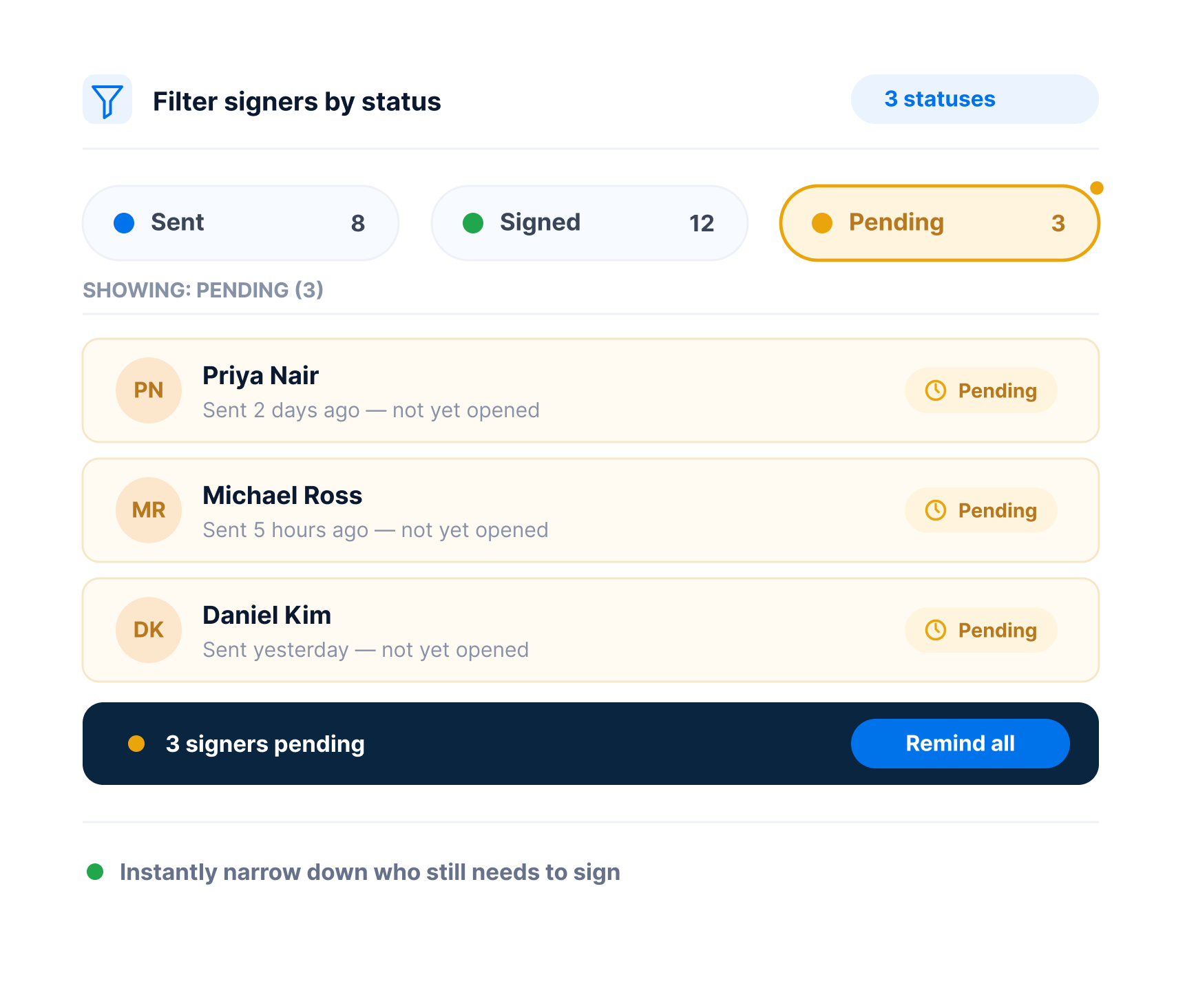
Track every signature inside monday.com
Know who opened, who signed and who still needs to act — in real time, right inside your board.
Flexible enough for the signature workflows your teams already run.
https://youtu.be/V0uZ3Q_1UbU?si=NnrfpuG83wDpGkBB
Send & sign one document from many
Need multiple people to sign the same document? Select items & send to everyone in one go. Each gets a personalized link and tracked signature
Batch signingShare a signing link that works anywhere
Generate a secure signing link for external recipients. Links never expire and allow you to track who has accessed and completed the document — great for webinars, policy updates, or mass outreach.
External signingCustomize the emails asking for signature
Make emails feel like yours — add your logo and messaging so signers know it’s from your company, not a third-party tool.
Custom brandingTemplate Gallery
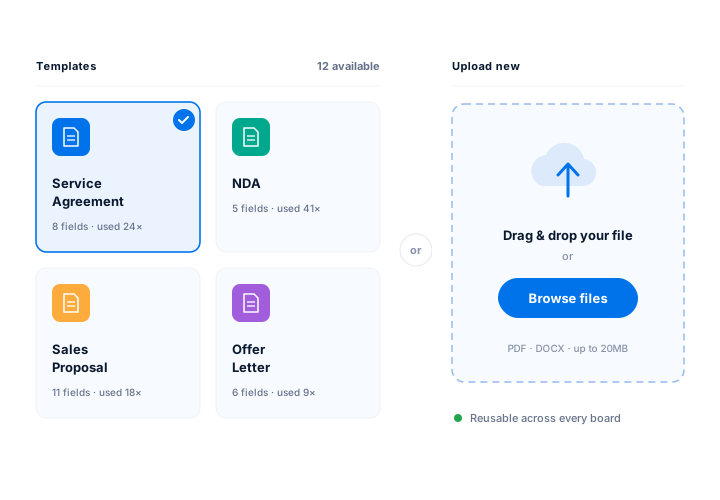
Access and manage reusable document templates directly from your monday.com workspace.
Reusable document setupSecure access with OTP
Add an extra layer of security by requiring a one-time password sent via SMS or email before document access and signing. Compliant with GDPR and HIPAA.
Signer verificationAutomatically remind users who haven't signed
Automatically remind recipients who haven't signed yet — no need to follow up manually.
Follow-up automationLess manual work around every signature.
The value GetSign brings to your workflow and productivity.
Accelerate business processes
Speed up internal and external approvals with automated document workflows. Get electronic signatures in minutes, not days.
Boost visibility across teams
Everyone stays in the loop with real-time signing status reflected on monday.com boards. No more guessing who’s next to sign.
Eliminate manual errors
Pull data from your boards to auto-fill documents and reduce risk of human error or mismatched information.
Reduce tool fatigue
No more toggling between apps. Keep teams productive and focused by handling everything within monday.com.
Strengthen legal & security posture
Control who signs and when with OTP, defined signing orders, and built-in audit logs. Stay protected and compliant.
One connected record
Keep the document process attached to the board item from preparation through completion.
From document creation to final signature — one workflow.
From signature requests to final signature — in one workflow
Upload or select a template
Choose from pre-built templates or upload a new document.
Auto-fill using board data
Map fields directly from monday.com columns (e.g. name, email, amount).
Add recipients and signing order
Set roles, add multiple signers, and define signing sequence.
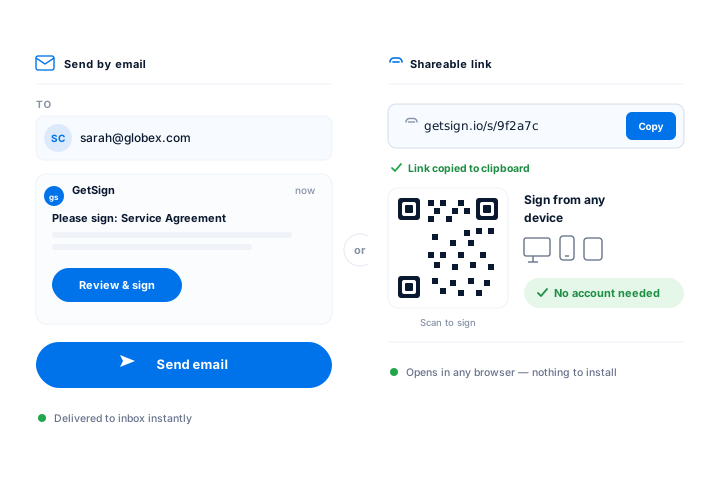
Send via email or shareable link
Recipients can sign from any device — no login required.
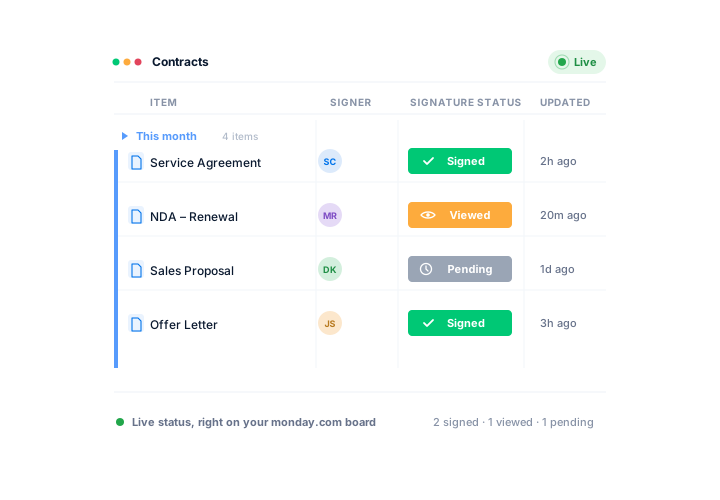
Track status in real-time
View who signed, when, and what's pending — Track all within monday.com.
Electronic signatures for the teams already working in monday.com.
Explore how different teams can streamline their workflows with GetSign.
Sales teams
Easily send quotes, proposals, and agreements or request electronic signature straight from CRM boards. Track document status to reduce sales cycles and close deals faster — all without leaving the pipeline view.
HR & people Ops
Onboard new employees with automated offer letters, policy acknowledgments, and NDA workflows. Every document is tracked and securely stored in the new hire’s monday.com item.
Legal & compliance teams
Streamline approvals for contracts, NDAs, and policy documents with full audit trails, encryption, and legally binding electronic Signatures. Maintain document integrity and governance.
Project Managers
Secure stakeholder sign-offs on deliverables, SOWs, and change orders. Stay audit-ready while reducing delays caused by manual document routing.
Secure, traceable signatures built into the workflow.
Legally binding signatures with full audit trails and signer data
AES-256 encryption at rest, TLS 1.2 encryption in transit
Role-based access and identity verification via OTP
Time-stamped logs of every signature action for compliance review
Compliant with GDPR, and HIPAA frameworks
Frequently asked questions
You can add a signature to documents within monday.com by using the GetSign app. Simply install GetSign from the monday.com marketplace, connect it to your board, and map your signature fields within your DOCX/PDF template. GetSign will then automate the signature placement.
Yes! GetSign offers a 14-day free trial with full access to premium features. After that, you can stay on the free plan, which includes core functionality like document generation and basic e-signature capabilities. You can visit pricing for detailed plan comparisons.
With GetSign, your electronic signature is securely added to a document through the signing interface. You can predefine the signature position using placeholders in your PDF template, and GetSign will insert your authenticated signature when triggered.
Absolutely. GetSign is your native, secure electronic Signature platform, purpose-built for monday.com users. Once installed, it enables you to generate documents, send them for signature, track status, and automate workflows — all without leaving your monday.com board.
Yes, especially when used with GetSign. You can configure GetSign’s AutoSend feature to send signature requests automatically based on status changes or triggers in your monday.com workflow. This reduces manual email handling and keeps your document process streamlined.
Using GetSign, you can upload or generate a document from monday.com, assign signers by email, and then click “Send.” You can automate this via status labels (like “AutoSend”).
Upload your PDF template into GetSign’s Template Gallery. Then map the signature fields to your monday.com board columns. Once ready, select a board item, trigger the send (manually or via automation), and GetSign will send a personalized signing link to the recipient’s email.
GetSign provides live status updates for every document you send. You can see who has opened, signed, or missed the document — all from your monday.com board. This tool offers real-time tracking document signing status across teams on monday.com.
Yes. GetSign digital signatures comply with eIDAS, ESIGN Act, UETA, GDPR and HIPAA. Every signature is tied to a secure, encrypted digital certificate and is cryptographically sealed — ensuring authenticity, integrity, and full legal enforceability across global standards.
Install GetSign from the monday.com marketplace. Once added, upload or select a document template, map your board columns to auto-fill document fields, assign recipients, and send for signature — all from within your monday.com board. Signing status updates in real time on your board, and you can automate sending based on status triggers. No third-party tools or app-switching required.
Sign smarter. Stay in flow.
Start collecting secure, legally binding eSignatures or requesting electronic signature where your work already lives.